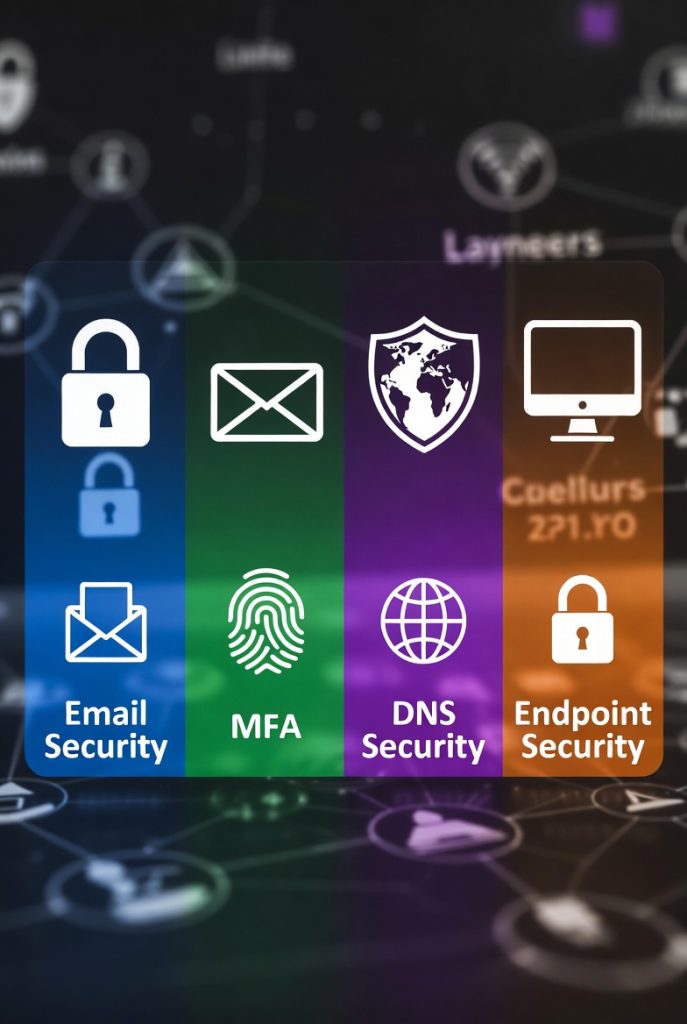
Like Ogres, Security has layers! There are many different types of attacks coming from all angles. The most common, for small and micro businesses, are email threats, hacked identities, visiting websites that are hacked, and malware on your computer. How do we prevent and mitigate threats?

Email Security
Over 90% of all attacks originate in email! We need to have the same tools that enterprise organizations use in the small business as what the enterprise organizations use. Read below to dig into the threats inside of email.

Multifactor Authentication
Multifactor Authentication (MFA) blocks 99.9% of automated attacks. You know the AI everyone keeps talking about, well the bad guys are using it. MFA is the frontline defense when protecting your identity. Read below to delve into the threats in identity security.

DNS Security
DNS Security is the shield that protects your business. It is the first line of defense from keep the bad guys as far away from your computers, users and applications as possible. Read below to understand the power of DNS!

Endpoint Security
This has been a de facto standard for multiple decades. The difference is in the engines detecting and the technology behind those engines. Look below to understand what it means to be Enterprise class security.
Email Security
Let’s get some quick definitions out of the way! I’ve tried to make them simple, go find other definitions if you question the validity of mine! I will do nothing but encourage this.
- Business email compromise (BEC)- this is where the bad guys are impersonating some account, whether that is the CEO or a commonly used vendor. They then trick employees to wire transfer, reveal payment details, expose sensitive information, or get around implemented security guards by appearing as legitimate.
- Scam – when an email looks like it is coming from a legitimate source, however it is not. The scum of the earth dirt bags who perform this operation deserve a special place in hell for making the victim feel terrible for doing nothing other than trusting humanity.
- Phishing – Is similar to a scam, but main difference is they are trying to get information out of you. For example where a scam has scripted interaction for a specific use case, a phishing attack would be getting an email from the Nigerian Prince asking you to click on a link and enter in your bank information.
- Malicious – a targeted attack designed to harm the recipient of the email. The vast majority of the time there will be some sort of malware embedded in the email.
- Spam – unwanted junk mail that hits your account. Not necessarily malicious, but certainly annoying.
- Graymail – you accidentally opted into some newsletter, and know it comes in everyday.
Why do we fall for all of these attacks? It seems so simple right. We should know better. Wrong! We are human and as such are fallible. I have been working in IT for over 20+ years at this point. At year 13 I had just started working for Cisco Systems. I was so excited. I got an email that said it had tracking information in there from my boss that needed approval. I work remote and think my boss has sent me something. So I didn’t look at the sending information and didn’t see the signs. I just wanted to be as responsive to this new role as possible. I clicked on the link… The good news is that it was sent from internal IT so all I had to do was take some training, but the reality is so many times that is a real email. So often it is just about timing and if someone happened to be distracted at the moment of click. I see on the daily how good these fake emails are getting. With AI getting involved the emails are almost indistinguishable from real emails. It’s getting to the point where we are expecting employees to open the settings of the email to read the meta data to check validity of an email. That is just unrealistic.
We use 2 email security platforms to secure email! There is a native email security tool built into Office 365 Email Security. Let’s be honest. It’s Microsoft so it’s ok, but it’s not actually good. It’s really so bad that a leading market research company created a whole market vertical for adding an email security platform onto your Office 365 Platform, and many companies have adopted it. You know why you can’t just pay less by removing email security from your subscription. Well it’s Microsoft and they own everything so you aren’t given a choice. You are going to pay for what they give you even if it is crap. So we’ve done what enterprises across the world have done and added a email security platform Office 365.
We use Cisco Email Threat Defense (ETD) in addition. Without getting tooooo technical… It ties in to your O365 tenant by reading the journal records within your email. Running it through several engines to include an AI. Then creates a verdict. To simplify that down. When an email comes in. ETD takes a copy of the email. It runs it through an AI platform looking at all of the categories listed above (BEC, Scam, Phishing, Malicious, Spam, or Graymail). It’s looking for a lot of different stuff to include speech patterns, header info, where the email was sent from, etc. It is also run through one of the WORLD’S best private threat intelligence agency Talos. These guys are locked in a basement fed a strict diet of Mountain Dew and Snickers. They only let them out to choke out scammers. Seriously top tier threat intelligence analysts. When it returns a verdict (puts it into one of those categories) that is negative it gets moved or removed. It could return a Neutral verdict as well, which is basic normal email.
Nothing is perfect! Notice how we make a copy first and send it through an engine. That means the user has just enough time to click on the email in their inbox, before a verdict could be returned. This system is trained over time. That means it can make mistakes. Even after training it behaves like a teenager with it’s driving licenses headed to college, sometimes it’s just really dumb. There is constant care and feeding that we do on the backend to make these systems work as well as humanly possible, but this is why we have layers!
To protect your email go to the shop and look for the Foundational User Peace of Mind Subscription.
Multifactor Authentication
Hey scum bag scammer, you got my credentials. Tough luck signing in, because I have Multifactor Authentication (MFA). I know that you have seen a significant increase in the number of sites that you visit implementing some sort of MFA. We do it here with your account with Zen Cyber Security. Why do we do this? There are many articles out there that show how effective MFA is. The Cybersecurity & Infrastructure Security Agency (CISA) states, “The use of MFA on your accounts makes you 99% less likely to be hacked.” This only makes sense if we understand what MFA is. MFA is the implementation of a security process that requires multiple forms of verification methods. Those methods are something you know (ie. passwords), something you have (ie. phone, token, FOB), or something you are (ie. biometrics like fingerprints or retinal scan, I think using your blood goes a bit far). Using a combination of 2 items significantly reduces the risk of your account being hacked.
We use Cisco Duo as our tool to ensure MFA is implemented correctly. Duo is licensed by user, but permits unlimited application integration. Duo is an industry leading MFA application. You may ask why we don’t just use the MFA provided in Office 365. Well mainly because like the email security they provide for “free” in your package it’s subpar at best. If you wanted the features in Office 365 that increase the effectiveness in their MFA you need to increase the cost of your plan per user by $11.50 per user in 2026. Even at that there are limitations in the applications they support. With Duo we are providing those advanced features, securing every application and most importantly at a significantly lower price.
Some of those key features that we need are Session Theft Protection, Risk-Based Authentication, Identity Secure Posture Management (ISPM), and Identity Threat Detection and Response (ITDR).
Truly I don’t expect you to understand what all that jargon means. In practically this is what all that means. Let’s say your credentials were stolen, because some other organization got hacked (which happens all of the time). What the bad guys do is try to bypass MFA using your stolen credentials for the site you are trying to visit. The best way to beat MFA is to side step it not try to fight it. With this we are forcing them to try and fight the MFA.
Let’s look at another use case. Let’s say your working doing great things for your business, yay! Then all of the sudden there is a login attempt from India. Well how the heck did you travel across the world while still sitting at your desk? You didn’t it was the dirt bag scammer. Duo is able to detect that adjust the policy and block those attempts.
MFA Fatigue is real! MFA Fatigue is when a bad actor send authentication request after authentication request until the user finally gives up and just says allow. We have to MFA for everything and users get used to just pushing the accept button, even when it’s not them trying to authenticate. That’s bad. We have significantly reduced the MFA fatigue, but the system also helps by identifying when a bad actor is trying multiple attempts it blocks them dynamically so that the user doesn’t just hit accept. This happened at Cisco with an Engineer! If your interested Talos wrote an excellent after actions report you can read here (Warning it’s pretty technical).
MFA is not the end all be all. There are still many ways that bad guys are trying to subvert MFA. There are many articles out there challenging the CISA 99.9% effectiveness rating. The reality is that is why we have layers!
To protect your user identity go to the shop and look for the Foundational User Peace of Mind Subscription.
DNS Security
I know there are so many that will argue with me, but DNS Security is the #1 most powerful tool any organization can have at protecting users and computers by keeping the threats as far away as possible. Let’s see why I have such a bold claim!
This is back when I was a youngin working in professional services. We would work in every environment known to mankind. I worked in DoD facilities, banks, corporate entities, etc. One of my co-workers happened to be working at a Casino doing an installation. At the same time my co-worker was implementing the solution the Casino was hacked! Immediately the Casino tried to blame my co-worker and was about to sue to our company. However, he had Cisco Umbrella installed on his workstation. As a result he was able to pull up every single DNS transaction and prove the hack had nothing to do with him. That was the first time I heard about DNS Security.
Why is DNS Security so powerful? The internet runs on it! Every single time you want to go to a website DNS takes the name of the website, looks up the associate IP address and sends you to the website. Bad guys don’t like using IP address locked in their code for malware, because that is too easy to block. All we have to do is block one single IP address and their entire malware is broken.
Let look at the taxonomy (fun word! classification of DNS attacks) of a DNS Attack. DNS Security has 3 shots at protecting you before anything bad can reach you.
- Block initial attack – When you receive an email with a link in there DNS has an opportunity to block it if it leads to a malicious site. If you receive a PDF through email or you downloaded a Word document and it has a link inside of it that you click, DNS has an opportunity to block the malicious site.
- Command and Control (C2) – Let’s assume we missed the initial download of the malware and somehow it gets installed on your system. That malware needs to reach back out to a C2 server owned by the bad guys that tells the malware what to do. That connection is resolved through DNS. We now have another shot at blocking that connection to prevent the C2 server from taking over your system.
- Ransomware Attack – Ok now, the malware has gotten through the first 2 gates and our system is owned. However, to Ransomware the system the malware needs to reach out to the Asynchronous Key Exchange server to download the key that encrypts all of your data. We have the opportunity to block that connection as well.
This is why I say it is the shield. We are blocking as much as humanly (or AI) possible as far away from the computer as possible. It blunt force tool that is the first line of defense when using the internet. We use Cisco Umbrella DNS Security, which is the industry leading DNS Security solution in the market.
To protect your computer DNS go to the shop and look for the Foundational Computer Peace of Mind Subscription.
Endpoint Security
It’s been around forever. You install it and move on. What’s the big deal? Well… It’s not so simple. Endpoint security solutions come in many different flavors. Back in the olden days when I walked to school up hill both ways, we had Endpoint Protection Platform (EPP). EPP was great initially. Basically you have a list of the bad types of files. You look at the files in the system and if it matches then you block it. That methodology held up for a very long time.
Then the scum of the earth found a way that they could morph their files uniquely. We elevated our tools and it took a new name to incorporate the new features need to handle the new threats Endpoint Detection and Response. This uses real-time tools to actively scan the system at all times to identify these unique threats. It’s not based on a list of Indicators of Compromise (IoC), but it actually uses behavioral analytics to identify bad guy stuff.
At some point some had a brilliant idea and said, if we have all of this data in all of these different platforms like email and MFA security why don’t we tie them together so that we can look at everything all at once to make better decisions on how we respond to threats. Hence Extended Detection and Response (XDR) as born.
That is how we at Zen Cyber Security work. We are looking at all of the inputs from all of your tools. Integrating them with each other to provide the highest level of integrated detection and response to threats.
Why do we use Cisco Secure Endpoint? Well go to that link and get the nitty gritty details. I’ll give you the high level here. Number #1 reason is Talos. I can not over emphasis how huge it is to have our tools backed by that organization. Hands down they find more new threats in the wild than any organization I’ve ever seen. I’ve worked for multiple manufactures and the level of security efficacy Talos provides it unmatched.
There are some technical reasons as well. We use Cisco for all of our tools. As a result since they have to most comprehensive security platform out of any security vendor in the market, that makes our security integrations most effective. It natively integrates with the other solutions in our service offerings. This tool is constantly being upgraded to the max. As new threats emerge Cisco has the engineering prowess to stay ahead of the bad guys. Some of my favorite features are script protection, device isolation, vulnerability analysis and behavioral protection.
To protect your computer go to the shop and look for the Foundational Computer Peace of Mind Subscription.
How does this all pull together for you
We’ve tried to make this as simple as possible for your business to consume. There 2 main package types: User and Computer. The Foundational User Peace of Mind Subscription includ
- Foundational User Peace of Mind Subscription
- Can be consumed Monthly or Yearly
- Includes Zen Cyber Security Services managing and operating the tools
- Includes both the Cisco ETD and Duo tools
- Sold on a per user count
- Foundational Computer Peace of Mind Subscription
- Can be consumed Monthly or Yearly
- Includes Zen Cyber Security Services managing and operating the tools
- Includes both the Cisco Umbrella and Secure Endpoint tools
- Sold on a per computer count